If you've searched "Google My Business" recently and felt confused about the results, you're not alone. Millions of business owners still search that term every month - but the product was renamed over three years ago. Here's the plain-English answer: Google My Business and Google Business Profile are the same thing. Google rebranded in 2021-2022. Your listing didn't change, your reviews didn't disappear, and nothing was reset. What matters now is whether that listing is actually optimized to win you local customers in London, Ontario - and for most businesses, the answer is that there's significant room to improve.
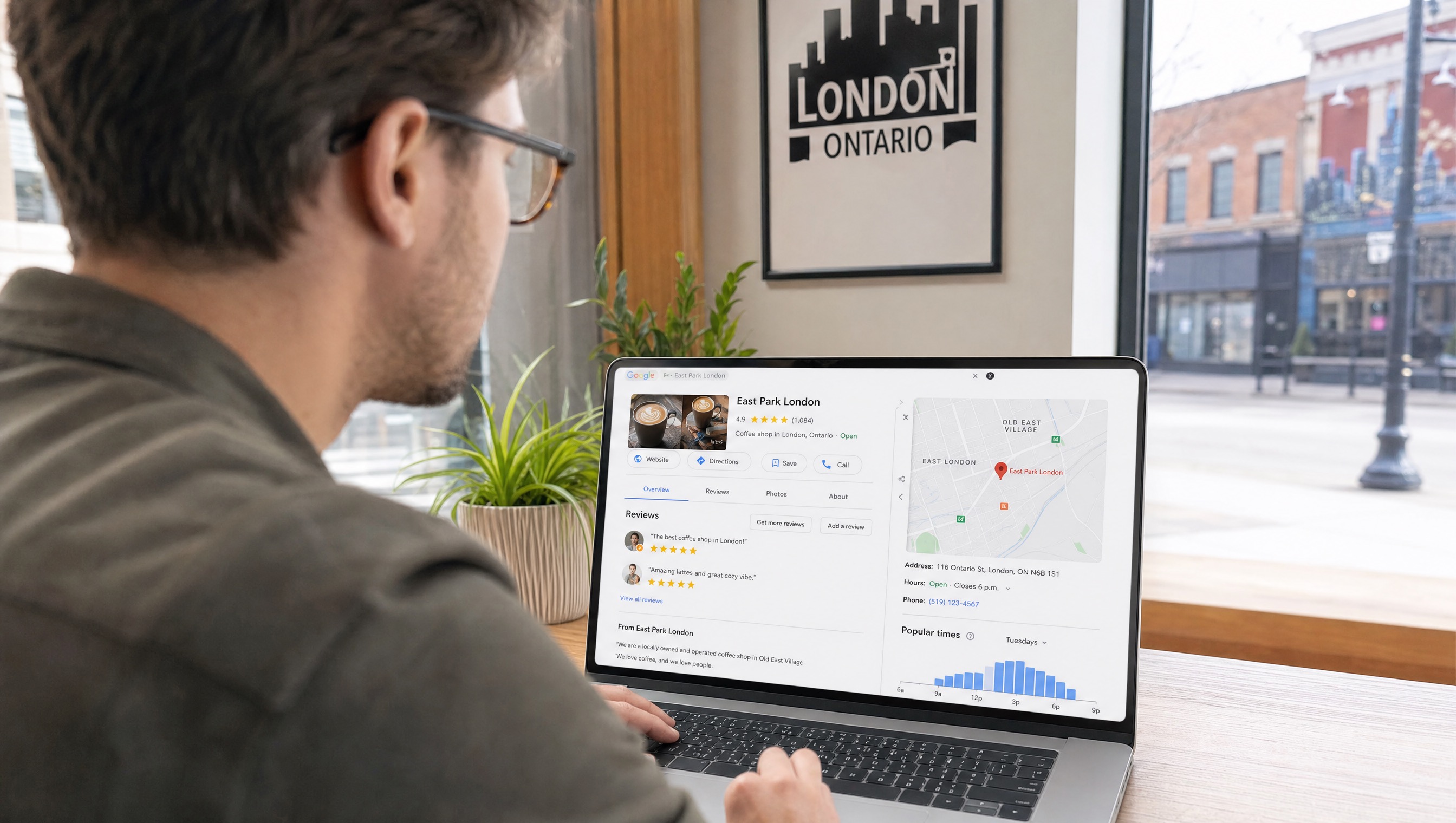
What actually changed in the Google My Business rename
In late 2021 and through 2022, Google phased out the "Google My Business" name across its products and communications. Here's a precise breakdown of what changed and what didn't:
What changed
- The name: "Google My Business" became "Google Business Profile." GMB became GBP.
- The management interface: Google shifted the primary way most small businesses manage their listing from the dedicated Google My Business website to directly through Google Search and Google Maps. Search your business name while logged into your Google account and you'll see management options directly in the search results.
- The standalone app: The Google My Business mobile app was discontinued. Profile management now happens through the Google Maps app or directly through Search.
- Business Profile Manager: For businesses managing multiple locations or needing more advanced features, business.google.com now serves as the hub - replacing the old Google My Business dashboard for multi-location management.
What didn't change
- Your existing listing: All your existing information - name, address, phone, hours, photos, posts, and reviews - carried over automatically. Nothing was deleted or reset.
- How it works: The core function is identical. Your profile still powers your listing in Google Search and Maps, feeds the local Map Pack, and drives calls, directions, and clicks from local searchers.
- What makes it effective: The same signals that made a great Google My Business listing drive a great Google Business Profile today. Accurate information, the right categories, fresh photos, regular posts, and a healthy stream of genuine reviews - none of that logic changed.
- It's still free: Creating, claiming, and maintaining a Google Business Profile remains completely free. The core listing that drives local visibility has no subscription cost.
Why "Google My Business" is still everywhere
Old branding sticks. Business owners who set up their listing before 2022 learned the original name and have no practical reason to relearn it. Blog posts, YouTube tutorials, and forum threads written before the rename still rank in search results and use the old terminology. The rename happened at the product level, not in people's heads - which is why you'll see "GMB," "Google My Business," and "Google Business Profile" used interchangeably for years to come.
For SEO purposes, both terms describe the same thing. If someone tells you to "optimize your GMB," they mean your Google Business Profile.
Why your Google Business Profile is your most powerful free local SEO tool
Understanding the name difference is the easy part. The more important question is whether your profile is actually doing the job it can do for your London business. For most local businesses, the honest answer is: probably not fully.
Your Google Business Profile is the primary driver of your local Map Pack ranking - the block of three businesses shown at the top of Google results for local searches like "plumber near me" or "dentist London Ontario." According to BrightLocal's research, Google Business Profile signals account for roughly 32% of local Map Pack ranking weight - the single largest local ranking factor. A business with a stale, half-finished profile is essentially leaving a third of its local ranking potential unused.
The profile also directly drives conversions. Your star rating, photo count, and review recency are all visible in search results before a potential customer clicks anything. A profile that looks active and well-maintained wins clicks over a competitor with better organic rankings but a neglected listing.
The full Google Business Profile optimization checklist for 2026
1. Verify your profile
An unverified profile can't be managed properly and signals lower credibility to Google. If you haven't verified yet, do it now through Google Search or business.google.com. Verification options include phone, email, video, or the older postcard method.
2. Choose the right primary category
Your primary category is one of the strongest local ranking levers in your profile. It determines which searches your business is eligible to appear for in the Map Pack. Choose the most specific category that accurately describes your main business - "Dentist" rather than "Health," "Plumber" rather than "Contractor." Add all relevant secondary categories for additional services you offer.
3. Complete every field
Name, address, phone, website, hours (including holiday hours), business description (use the full 750 characters naturally), attributes, and services. Each completed field is a signal to Google about your business and a piece of information that helps customers choose you. Incomplete profiles rank worse and convert worse.
4. Get your NAP exactly right - everywhere
Your Name, Address, and Phone must match exactly across your Google Business Profile, your website, and every directory listing. "St." vs "Street," a missing suite number, or a different phone format all register as inconsistencies that erode Google's confidence in your business data. This is one of the most commonly neglected - and most impactful - local SEO fundamentals.
5. Add real photos regularly
Profiles with photos earn significantly more clicks and direction requests than those without. Add exterior and interior shots, team photos, and images of your work or products. More importantly, keep adding new photos regularly - recency matters. A profile with 50 photos, all from 2019, is less effective than one with 20 photos posted steadily over the past year.
6. Post weekly
Google Posts - offers, updates, events, news - signal to Google that your profile is active. Active profiles rank better than dormant ones. One post per week takes five to ten minutes and is one of the easiest consistent wins available.
7. Build a review engine
Reviews are a top Map Pack ranking factor and your most visible trust signal. The goal isn't a one-time burst of reviews - it's a steady cadence. Ask every satisfied customer within 24 hours while the experience is fresh. Respond to every review, positive or negative. A business earning 5 reviews per month will build a dramatically stronger local presence than one with 100 old reviews and no recent activity. Read our full guide on how to get more Google reviews.
8. Seed and manage Q&A
The Questions & Answers section of your profile is public and indexed by Google. Add the questions your customers actually ask and answer them yourself - this controls the narrative, handles common objections before they arise, and provides additional keyword-relevant content attached to your listing.
9. List all services with descriptions
The services section is underused by most London businesses. List every service you offer with a brief, keyword-aware description - "Emergency Plumbing in London, Ontario" rather than just "Emergency Plumbing." Google reads these descriptions to determine relevance for specific searches.
10. Enable messaging and booking
Every friction point removed between "found you" and "contacted you" increases conversions. Enable messaging so customers can reach you directly from the profile. If your business accepts bookings, link your booking system - or use Google's built-in booking integration if your software supports it.
The most common Google Business Profile mistakes
- Keyword stuffing the business name - "Joe's Plumbing | London Ontario Emergency Plumber 24/7" violates Google's guidelines and risks suspension. Your business name should match your actual registered business name.
- Using a virtual office or mailbox as your address - Google detects these and suspends profiles. If you serve customers at their location, set up as a Service-Area Business instead.
- Claiming and abandoning the profile - No posts, old photos, unanswered reviews, and stale information. Google treats inactivity as a low-trust signal.
- Inconsistent NAP across the web - even minor differences across directories quietly undermine your local ranking.
- Ignoring the Q&A section - unmanaged Q&As can be answered by anyone, including competitors or uninformed users.
Your next step
Whether you called it Google My Business or Google Business Profile, the question that matters is whether yours is actually working hard for your London business. Most profiles aren't - they were set up years ago, filled in partially, and never touched again. A fully optimized, actively maintained profile is one of the highest-ROI local marketing investments available, and it's free.
Our Google Business Profile optimization service builds and maintains this entire system for London businesses. Or get a free audit that reviews your current profile alongside your website's local search performance and shows you exactly what you're missing.
Related service: Google Business Profile Optimization in London, Ontario →